Author: chrisomo

  • IT Support: What It Covers and Why Downtime Makes It Essential

    IT Support: What It Covers and Why Downtime Makes It Essential

    IT Support: What It Covers and Why Downtime Makes It Essential

    By The Uptime Report editorial team · Last updated September 2026

    IT support is the help that keeps a business’s technology, and its people, working. It matters because the alternative is expensive: IT downtime now costs roughly $15,000 per minute on average, and 96% of organizations hit at least one outage in the past three years.

    Key takeaways

    • IT downtime averages about $15,000 per minute in 2026 (Splunk/Cisco).
    • 96% of IT decision-makers hit at least one outage in the past three years.
    • IT support uses tiered levels (L1/L2/L3) to match issues to the right skill.
    • Proactive IT monitoring can reduce total downtime by 80%.
    • Support is delivered in-house, outsourced, or co-managed, on-site or remotely.
    $15,000
    average cost of IT downtime per minute
    Splunk/Cisco, 2026
    96%
    of orgs hit an outage in the past 3 years
    2026 report
    80%
    downtime reduction from proactive monitoring
    Industry data, 2026

    What does IT support cover?

    IT support covers everything that keeps technology working for a business: fixing user issues, maintaining systems, managing security, and restoring service when something fails. It ranges from a quick password reset to recovering from a major outage. The reason it is not optional is cost: IT downtime now averages roughly $15,000 per minute, and 96% of IT decision-makers experienced at least one outage in the past three years.

    How is IT support structured?

    Most IT support uses tiers to match the difficulty of an issue to the skill needed to solve it:

    • Tier 1: common fixes, password resets, how-to questions.
    • Tier 2: deeper troubleshooting and configuration.
    • Tier 3: complex or systemic issues, often involving engineers or vendors.

    Support is delivered in-house, outsourced to a provider, or co-managed, and increasingly remotely rather than on-site.

    Why does proactive IT support matter?

    The best IT support prevents problems rather than just fixing them. Proactive monitoring can reduce total downtime by 80%, catching a failing disk, a saturated link, or a security issue before users feel it. Given that downtime costs $15,000 a minute, the difference between reactive and proactive support is measured in real money, not just convenience.

    Should you outsource IT support?

    For most small and midsize businesses, outsourced or co-managed IT support delivers broader coverage and proactive monitoring for less than the cost of building an equivalent internal team. The key is a provider with response commitments that match your tolerance for downtime. When every minute offline is costly, the reliability of support matters more than its headline price (Popupsmart tracks downtime data).

    Frequently asked questions

    What does IT support do?

    IT support keeps a business’s technology and people working, from fixing user issues and maintaining systems to managing security and restoring service after failures.

    How is IT support structured?

    In tiers: Tier 1 handles common fixes, Tier 2 deeper troubleshooting, and Tier 3 complex or systemic issues, matching difficulty to skill.

    How much does IT downtime cost?

    About $15,000 per minute on average in 2026, per Splunk/Cisco, which is why reliable IT support is a business necessity.

    Does proactive IT support reduce downtime?

    Yes. Proactive monitoring can reduce total downtime by 80% by catching issues before users feel them.

    Should a business outsource IT support?

    For most small and midsize firms, outsourced or co-managed support delivers broader coverage and monitoring for less than an equivalent internal team.

    What is the difference between reactive and proactive IT support?

    Reactive support fixes problems after they occur; proactive support monitors and prevents them, cutting downtime substantially.


  • What Does VoIP Mean? Voice over Internet Protocol, Explained

    What Does VoIP Mean? Voice over Internet Protocol, Explained

    What Does VoIP Mean? Voice over Internet Protocol, Explained

    By The Uptime Report editorial team · Last updated September 2026

    What does VoIP mean? VoIP stands for Voice over Internet Protocol: technology that carries phone calls over the internet instead of traditional phone lines. It has become the default, with over 60% of companies in developed markets already migrated from traditional telephony.

    Key takeaways

    • VoIP means Voice over Internet Protocol.
    • It carries calls over the internet instead of copper phone lines.
    • Over 60% of companies in developed markets have migrated to VoIP.
    • It cuts communication costs 30-50% versus landlines.
    • Call quality depends on network bandwidth, latency, and QoS.
    VoIP
    = Voice over Internet Protocol
    Industry term
    60%+
    of companies migrated to VoIP or cloud voice
    Panterra, 2026
    30-50%
    cost savings versus landlines
    Industry surveys, 2026

    What does VoIP mean?

    VoIP stands for Voice over Internet Protocol. It is technology that converts your voice into data and carries it over the internet instead of over dedicated copper phone lines. A hosted platform handles routing and features, so a call connects to any phone number the way it always has, just over a different path. The migration is well underway: Panterra reports over 60% of companies in developed markets have already moved to VoIP or cloud communications.

    How does VoIP work?

    When you speak into a VoIP phone or app, the audio is digitized, broken into small packets, sent across your internet connection, and reassembled on the other end. Because the call travels as data on the network you already have, VoIP avoids the per-line infrastructure of traditional telephony. This is what makes it both cheaper and more flexible than legacy phone service.

    Why is VoIP cheaper than a landline?

    VoIP uses your existing internet connection instead of dedicated phone lines, which removes per-line costs. Businesses switching from landlines report 30% to 50% lower communication costs, up to 68% on usage-based plans. Features that legacy systems charge extra for, like call routing, voicemail-to-email, and mobile apps, usually come included.

    What do you need to run VoIP?

    The main requirement is a stable internet connection with enough bandwidth and low latency. Because voice is real-time and sensitive to delay, prioritizing voice traffic on the network keeps calls clear. Plan a failover for internet outages. Beyond that, VoIP runs on desk phones, computers, or mobile apps, and an MSP already managing your network can run it too (Kixie tracks VoIP adoption).

    Frequently asked questions

    What does VoIP mean?

    VoIP means Voice over Internet Protocol, technology that carries phone calls over the internet instead of traditional copper phone lines.

    How does VoIP work?

    Your voice is digitized into packets, sent across your internet connection, and reassembled on the other end, with a hosted platform handling routing.

    Is VoIP cheaper than a landline?

    Yes. Businesses report 30-50% lower communication costs versus landlines, plus included features that legacy systems charge extra for.

    How many businesses use VoIP?

    Over 60% of companies in developed markets have migrated from traditional telephony to VoIP or cloud communications.

    What do I need for VoIP?

    A stable internet connection with adequate bandwidth, low latency, and quality-of-service prioritization for voice traffic.

    Does VoIP work during an internet outage?

    Not on the same connection. A cellular backup or call forwarding provides failover for mission-critical phones.

  • Healthcare IT Services: HIPAA, Patient Data, and Uptime

    Healthcare IT Services: HIPAA, Patient Data, and Uptime

    Healthcare IT Services: HIPAA, Patient Data, and Uptime

    By The Uptime Report editorial team · Last updated September 2026

    Healthcare IT services keep clinical systems running while protecting patient data under HIPAA. The stakes lead every sector: healthcare data breaches average $10.22 million, the highest of any industry for 14 straight years.

    Key takeaways

    • Healthcare breaches average $10.22M, the highest of any industry for 14 years.
    • Ransomware drives 48% of confirmed breaches; healthcare is a prime target.
    • 99% of hospitals run devices with known, exploited vulnerabilities.
    • Only 4-7% of health-system IT budgets go to cybersecurity.
    • Healthcare IT services must build HIPAA compliance and uptime into everything.
    $10.22M
    average healthcare breach cost
    Ordr, 2026
    48%
    of confirmed breaches driven by ransomware
    2026 report
    99%
    of hospitals run devices with known vulnerabilities
    2026 report

    Why does healthcare need specialized IT services?

    Healthcare holds concentrated, highly regulated patient data and cannot tolerate downtime that affects care. That combination makes it the most expensive sector to breach: Ordr reports an average breach cost of $10.22 million, the highest of any industry for 14 consecutive years, with ransomware driving 48% of confirmed breaches. Healthcare IT services must treat HIPAA compliance and clinical uptime as design constraints, not afterthoughts.

    What do healthcare IT services cover?

    • HIPAA-aligned security controls and documentation
    • Encryption of protected health information
    • Medical-device and network security
    • Backup and rapid recovery for clinical systems
    • 24/7 monitoring and incident response
    • Access control and staff training

    Device security is critical: 99% of hospitals manage devices that contain known, exploited vulnerabilities.

    What are the HIPAA and compliance stakes?

    HIPAA obligations extend to any vendor with access to protected health information, so a healthcare IT provider is a business associate bound by the same rules. Beyond fines, a breach exposing patient data carries reputational and patient-safety consequences no other sector matches. Yet spending lags: only 4-7% of health-system IT budgets go to cybersecurity, leaving gaps that specialized providers are hired to close.

    How do you choose a healthcare IT provider?

    Look for demonstrated HIPAA experience, documented controls, medical-device security capability, and references from similar providers. The provider should be able to produce the evidence a regulator or auditor expects, not just claim compliance. Given the $10.22 million average breach cost, the premium for genuine healthcare expertise is small insurance against a catastrophic event (HIPAA Journal tracks the breach data).

    Frequently asked questions

    Why does healthcare need specialized IT services?

    Because it holds regulated patient data and cannot tolerate downtime affecting care. Healthcare breaches average $10.22 million, the highest of any industry.

    What do healthcare IT services cover?

    HIPAA-aligned security, encryption of patient data, medical-device and network security, backup, 24/7 monitoring, and staff training.

    How much does a healthcare data breach cost?

    An average of $10.22 million per incident, the highest of any industry for 14 consecutive years.

    Are IT providers bound by HIPAA?

    Yes. A provider with access to protected health information is a business associate under HIPAA and bound by the same rules.

    Why are hospitals vulnerable?

    99% of hospitals run devices with known, exploited vulnerabilities, and only 4-7% of IT budgets go to cybersecurity.

    How do I choose a healthcare IT provider?

    Look for demonstrated HIPAA experience, documented controls, medical-device security, and the ability to produce audit evidence.

  • IT Helpdesk: How to Run One That Keeps Users Productive

    IT Helpdesk: How to Run One That Keeps Users Productive

    IT Helpdesk: How to Run One That Keeps Users Productive

    By The Uptime Report editorial team · Last updated September 2026

    An IT helpdesk is the front line of technology support: the team and process that receives, triages, and resolves user issues. It is the single most-outsourced managed service after monitoring, included by 91% of managed service providers.

    Key takeaways

    • The IT helpdesk is the daily face of a whole IT operation.
    • 91% of MSPs include an outsourced helpdesk, second only to monitoring.
    • Tiered support (L1/L2/L3) matches issue difficulty to the right skill level.
    • First-contact resolution and time-to-resolution predict user satisfaction.
    • SLAs set expectations; hitting them consistently builds trust.
    91%
    of MSPs offer an outsourced helpdesk
    Medha Cloud, 2026
    94%
    of MSPs offer monitoring, the only bigger service
    Medha Cloud, 2026
    3 tiers
    standard helpdesk support structure
    Industry practice

    What is an IT helpdesk?

    An IT helpdesk is the first point of contact when a user has a technology problem: a password reset, an application that will not open, a device that will not connect. It receives the ticket, diagnoses the issue, resolves it or escalates it. For a business, the helpdesk is the part of IT people actually touch every day, which makes it the daily face of the whole operation. It is also among the most-outsourced services: 91% of MSPs offer an outsourced helpdesk.

    How does tiered helpdesk support work?

    • Tier 1: password resets, common how-to questions, known fixes. High volume, fast turnaround.
    • Tier 2: deeper troubleshooting, configuration issues, more context needed.
    • Tier 3: complex or systemic issues, often involving engineers or vendors.

    Tiering keeps expensive engineers off routine tickets while ensuring hard problems reach the right people quickly.

    Which helpdesk metrics matter?

    Metric What it tells you
    First-contact resolution How often issues are solved on the first touch
    Time to resolution How long users wait to be made whole
    Ticket backlog Whether the desk keeps pace with demand
    CSAT Whether users feel taken care of

    Watch these together; optimizing one in isolation, like speed at the expense of satisfaction, is a bad trade.

    How do MSPs run a helpdesk to SLA?

    An SLA is a promise: this priority of issue gets a response in this many minutes and a resolution in this many hours. The discipline is setting numbers the staffing can actually support and then meeting them every time. A realistic SLA that is always met builds more trust than an aggressive one that is missed. Good documentation and clean tiering are what make consistent SLA performance possible (Market.us tracks service adoption).

    Frequently asked questions

    What is an IT helpdesk?

    The first point of contact for technology support, receiving, diagnosing, resolving, and escalating user issues like password resets and application problems.

    What is the difference between a helpdesk and a service desk?

    A helpdesk focuses on fixing user issues; a service desk is broader, managing incidents, requests, and changes as the single point of contact for IT.

    How does tiered helpdesk support work?

    Tier 1 handles routine issues, Tier 2 deeper troubleshooting, and Tier 3 complex or systemic problems, matching difficulty to skill level.

    What helpdesk metrics matter most?

    First-contact resolution, time to resolution, ticket backlog, and customer satisfaction, watched together rather than in isolation.

    Do MSPs provide helpdesk services?

    Yes. 91% of MSPs offer an outsourced helpdesk, making it one of the most common managed services.

    What is a helpdesk SLA?

    A service-level agreement defining response and resolution times by issue priority. Meeting it consistently is what builds user trust.

  • What Does MSP Stand For? Managed Service Provider, Explained

    What Does MSP Stand For? Managed Service Provider, Explained

    What Does MSP Stand For? Managed Service Provider, Explained

    By The Uptime Report editorial team · Last updated September 2026

    What does MSP stand for? MSP stands for Managed Service Provider: a company that runs a client’s IT on an ongoing basis for a monthly fee. Adoption is now the norm, with 76% of SMEs relying on an MSP for at least some IT functions.

    Key takeaways

    • MSP stands for Managed Service Provider.
    • An MSP runs a client’s IT proactively for a predictable monthly fee.
    • 76% of SMEs use an MSP for at least some functions (Medha Cloud).
    • MSPs differ from break-fix IT by preventing problems rather than billing to fix them.
    • The global MSP market reached about $430 billion in 2026.
    MSP
    = Managed Service Provider
    Industry term
    76%
    of SMEs use an MSP
    Medha Cloud, 2026
    $430B
    global MSP market in 2026
    Medha Cloud, 2026

    What does MSP stand for?

    MSP stands for Managed Service Provider. It is a company that takes ongoing responsibility for a client’s technology, delivering support, monitoring, security, and maintenance as a subscription rather than fixing problems only after they happen. The model is now mainstream: Medha Cloud reports 76% of SMEs rely on an MSP for at least some functions, in a market worth about $430 billion in 2026.

    What does a managed service provider do?

    An MSP acts as, or backs up, a client’s IT department. It monitors systems around the clock, runs the help desk, keeps software patched, manages cybersecurity and backup, and advises on technology decisions. The defining feature is that it works proactively, catching and fixing issues before they cause downtime, rather than waiting for something to break.

    How is an MSP different from break-fix IT?

    MSP Break-fix
    Model Ongoing subscription Pay per incident
    Approach Proactive prevention Reactive repair
    Cost Predictable monthly Unpredictable

    The incentive difference is the point: an MSP is paid the same whether or not you have problems, so it is motivated to prevent them.

    Why do businesses use an MSP?

    Because it delivers a full IT team’s capability for a predictable fee that a small or midsize business could not match by hiring. With 76% of SMEs already using one, the MSP model has become the default for organizations that would rather focus on their business than run IT themselves. The main decision is which MSP fits, not whether to use one (Market.us tracks MSP adoption).

    Frequently asked questions

    What does MSP stand for?

    MSP stands for Managed Service Provider, a company that runs a client’s IT on an ongoing basis for a monthly fee.

    What does a managed service provider do?

    It monitors systems, runs the help desk, manages security and backup, patches software, and advises on technology, all proactively under a subscription.

    How is an MSP different from break-fix IT?

    An MSP works proactively to prevent problems under a monthly fee; break-fix charges to repair problems after they occur.

    How many businesses use an MSP?

    76% of SMEs rely on an MSP for at least some IT functions, in a market worth about $430 billion in 2026.

    What is the difference between an MSP and an MSSP?

    An MSP manages general IT; an MSSP (Managed Security Service Provider) focuses specifically on security operations.

    Why do businesses use an MSP?

    To get a full IT team’s capability for a predictable fee that would be far more expensive to build in-house.

  • Cloud Migration Strategy: The 6 Rs and How to Choose

    Cloud Migration Strategy: The 6 Rs and How to Choose

    Cloud Migration Strategy: The 6 Rs and How to Choose

    By The Uptime Report editorial team · Last updated September 2026

    A cloud migration strategy decides how each workload moves to the cloud using the 6 Rs framework, and the choice sets the cost and risk. It matters because 70% of cloud migrations exceed cost or time, almost always from strategy and planning gaps.

    Key takeaways

    • 70% of cloud migrations exceed cost or time (Medha Cloud, 2026).
    • The 6 Rs framework: rehost, replatform, repurchase, refactor, retire, retain.
    • Lift-and-shift (rehost) leads at 38.3%; refactor is growing 22% a year.
    • 47% of delays come from legacy dependencies missed during assessment.
    • The strategy is chosen per workload by value, risk, and complexity.
    6 Rs
    strategies in the standard framework
    AWS / industry
    38.3%
    share of migrations using lift-and-shift
    Auvik, 2026
    70%
    of migrations that exceed cost or time
    Medha Cloud, 2026

    What is a cloud migration strategy?

    A cloud migration strategy is the plan for how each workload moves to the cloud. There is no single right answer for a whole environment; each application has a different value, risk, and complexity, so each gets its own approach. Getting this right is what separates smooth migrations from the 70% that exceed cost or time.

    What are the 6 Rs of cloud migration?

    Strategy What it means
    Rehost Lift and shift as-is
    Replatform Minor changes to fit cloud services
    Repurchase Move to a SaaS product instead
    Refactor Re-architect for the cloud
    Retire Decommission what is no longer needed
    Retain Leave in place for now

    Lift-and-shift leads at 38.3% because it is fastest and lowest risk, while refactor is growing 22% a year as businesses pursue deeper cloud value.

    How do you choose a strategy per workload?

    Weigh three things for each application: its business value, its risk if the migration goes wrong, and its technical complexity. A stable, low-complexity app is a rehost candidate; a strategic app that would gain from cloud-native features may justify a refactor; a redundant one should be retired. Mapping every workload to a strategy up front is the discovery work that prevents overruns.

    Why do cloud migration strategies fail?

    Because discovery is skipped. 47% of migration delays come from legacy application dependencies that were not identified during assessment, and 38% of projects exceed budget by an average of 14 to 23%. A sound strategy pairs the right per-workload approach with disciplined preparation: automated discovery, dependency mapping, pilot waves, and tested rollback (Auvik tracks migration-approach data).

    Frequently asked questions

    What is a cloud migration strategy?

    The plan for how each workload moves to the cloud, chosen per application by its value, risk, and complexity using the 6 Rs framework.

    What are the 6 Rs of cloud migration?

    Rehost, replatform, repurchase, refactor, retire, and retain, each a different way to handle a workload during migration.

    Which migration strategy is most common?

    Rehost (lift and shift) at 38.3%, because it is the fastest and lowest-risk approach, though refactor is growing 22% a year.

    Why do cloud migrations fail?

    Usually planning gaps. 70% exceed cost or time, and 47% of delays come from legacy dependencies missed during assessment.

    How do you choose a migration strategy?

    Evaluate each workload’s business value, risk, and complexity, then map it to the appropriate one of the 6 Rs.

    What is the difference between rehost and refactor?

    Rehost moves an app as-is for speed and low risk; refactor re-architects it for the cloud, costing more but delivering deeper value.

  • AWS Cloud Migration: Costs, Savings, and How to Do It Right

    AWS Cloud Migration: Costs, Savings, and How to Do It Right

    AWS Cloud Migration: Costs, Savings, and How to Do It Right

    By The Uptime Report editorial team · Last updated September 2026

    AWS cloud migration moves your systems to Amazon Web Services, and done well it pays back: the average cloud migration returns $3.86 for every dollar spent, with compute and storage costs falling up to 66% versus on-premises.

    Key takeaways

    • The average cloud migration returns $3.86 for every dollar spent (Softobiz, 2026).
    • AWS can cut compute and storage costs up to 66% versus on-premises.
    • 91% of organizations have migrated at least one workload.
    • SMB migrations run $50,000-$250,000; enterprise migrations can exceed $1M.
    • AWS infrastructure is up to 4.1x more energy efficient than typical on-premises.
    $3.86
    average return per dollar of migration spend
    Softobiz, 2026
    66%
    potential compute and storage cost cut
    Cloudaware, 2026
    91%
    of organizations have migrated a workload
    Cloud data, 2026

    What is AWS cloud migration?

    AWS cloud migration is the process of moving applications, data, and infrastructure from on-premises systems (or another cloud) to Amazon Web Services. It follows the same discipline as any migration: assess, choose a strategy per workload, move in controlled waves, validate, and optimize. The payoff is real: Softobiz reports an average return of $3.86 per dollar spent, and 91% of organizations have already migrated at least one workload.

    How much does AWS cloud migration cost?

    Budgets scale with complexity. Small to midsize migrations typically run $50,000 to $250,000, covering assessment, migration services, provisioning, security, and initial optimization. Enterprise migrations with hundreds of servers can exceed $1 million. Against those costs, AWS can cut compute and storage expenses up to 66%, and customers report saving 30% to 70% on storage versus on-premises.

    What are the benefits of migrating to AWS?

    • Cost: up to 66% lower compute and storage; $3.86 average ROI per dollar.
    • Scale: provision and retire resources on demand.
    • Efficiency: AWS is up to 4.1x more energy efficient than typical on-premises setups.
    • Resilience: built-in redundancy and recovery options.

    How do you avoid AWS migration overruns?

    The failures are planning failures. 70% of cloud migrations exceed cost or time due to architecture complexity, and 47% of delays come from legacy dependencies not identified during assessment. The fix is disciplined preparation: automated discovery, dependency mapping, and pilot waves before the full move, plus financial governance to keep spend in check. Tooling and, on complex moves, migration consulting close the gaps that cause overruns.

    Frequently asked questions

    What is AWS cloud migration?

    Moving applications, data, and infrastructure from on-premises or another cloud to Amazon Web Services, following an assess-migrate-validate-optimize process.

    How much does AWS cloud migration cost?

    Small to midsize migrations run $50,000 to $250,000; enterprise migrations with hundreds of servers can exceed $1 million.

    How much can AWS migration save?

    Up to 66% on compute and storage versus on-premises, with an average return of $3.86 for every dollar spent.

    What is the biggest risk in AWS migration?

    Cost and time overruns from architecture complexity and unidentified legacy dependencies, which cause 70% of migrations to exceed plan.

    How do you plan an AWS migration?

    With automated discovery, dependency mapping, and pilot waves before the full move, plus financial governance to control spend.

    How many companies have migrated to AWS or cloud?

    91% of organizations have migrated at least one workload, and 94% use at least one cloud service in 2026.

  • PCI Compliance: The 12 Requirements and What 2026 Changed

    PCI Compliance: The 12 Requirements and What 2026 Changed

    PCI Compliance: The 12 Requirements and What 2026 Changed

    By The Uptime Report editorial team · Last updated September 2026

    PCI compliance means meeting the PCI DSS security standard that any business handling card data must follow. It carries 12 core requirements, and non-compliance is costly: card brands levy monthly fines of roughly $5,000 to $100,000 on non-compliant organizations.

    Key takeaways

    • PCI DSS has 12 requirements for any business handling card data.
    • Non-compliance fines run $5,000 to $100,000 per month from card brands.
    • PCI DSS 4.0.1 is current; many requirements became enforceable March 31, 2025.
    • 2026 mandates phishing-resistant MFA for admin access; SMS OTP no longer accepted.
    • You must now inventory and verify every script on payment pages.
    12
    core PCI DSS requirements
    PCI Security Standards Council
    $5k-100k
    monthly non-compliance fines
    StrongDM, 2026
    4.0.1
    current PCI DSS version
    PCI SSC, 2026

    What is PCI compliance?

    PCI compliance means adhering to the Payment Card Industry Data Security Standard (PCI DSS), a set of controls that protect cardholder data. It applies to any organization that processes, stores, or transmits credit card information. The standard contains 12 requirements, and the major card brands require compliance from anyone handling card transactions. Non-compliance is expensive: StrongDM reports monthly fines of $5,000 to $100,000, plus forensic costs if a breach occurs.

    What are the PCI DSS requirements?

    The 12 requirements group into six control objectives: build and maintain a secure network, protect cardholder data, maintain a vulnerability management program, implement strong access control, regularly monitor and test networks, and maintain an information security policy. Each requirement carries specific, auditable controls, from encryption to access logging.

    What changed for PCI compliance in 2026?

    The current version is PCI DSS 4.0.1, and a large set of previously future-dated requirements became fully enforceable on March 31, 2025. Two 2026 changes matter most: multi-factor authentication is now required for all administrative access to the cardholder data environment, and SMS-based one-time passwords are no longer accepted, so you must use phishing-resistant MFA. You must also maintain a full inventory of scripts on payment pages, justify each, and use automated tamper detection.

    What does non-compliance cost?

    Beyond the $5,000 to $100,000 monthly fines, non-compliance can bring increased transaction fees, forensic investigation costs after a breach, and the loss of the ability to process cards at all. For most businesses, the cost of compliance is far smaller than the cost of losing card-processing capability, which is why many bring in a provider to manage it (Venn covers the full requirement set).

    Frequently asked questions

    What is PCI compliance?

    Adherence to the PCI DSS standard that protects cardholder data. It applies to any business that processes, stores, or transmits credit card information.

    How many PCI DSS requirements are there?

    Twelve core requirements, grouped into six control objectives covering network security, data protection, access control, monitoring, and policy.

    What changed in PCI compliance for 2026?

    Phishing-resistant MFA is now required for admin access (SMS OTP is no longer accepted), and you must inventory and verify every script on payment pages.

    What does PCI non-compliance cost?

    Monthly fines of $5,000 to $100,000 from card brands, plus forensic costs after a breach and possible loss of card-processing ability.

    Who must be PCI compliant?

    Any organization that processes, stores, or transmits credit card data, regardless of size.

    What is the current PCI DSS version?

    PCI DSS 4.0.1, with many previously future-dated requirements enforceable since March 31, 2025.

  • How Much Does Managed IT Services Cost? A 2026 Breakdown

    How Much Does Managed IT Services Cost? A 2026 Breakdown

    How Much Does Managed IT Services Cost? A 2026 Breakdown

    By The Uptime Report editorial team · Last updated September 2026

    How much does managed IT services cost? In 2026, expect $100 to $400 per user per month, with $150 to $200 typical. A 30-person company at the standard tier lands around $5,250 a month, plus a one-time onboarding fee.

    Key takeaways

    • Managed IT services cost $100-$400 per user per month, $150-$200 typical (Datapath, 2026).
    • Basic $100-$125, standard $150-$200, premium/compliance $200-$400 per user.
    • A 30-person firm at standard tier is about $5,250 per month.
    • Onboarding is a one-time fee, usually 1x to 3x the monthly rate.
    • Price is driven by users, security needs, complexity, compliance, and strategic support.
    $150-200
    typical per-user monthly rate
    Datapath, 2026
    $5,250
    monthly for a 30-person firm, standard tier
    Industry example, 2026
    1-3x
    onboarding fee as a multiple of monthly
    Industry benchmarks, 2026

    How much does managed IT services cost per user?

    Managed IT is priced per user per month in most cases. Datapath puts the 2026 range at $100 to $400, with $150 to $200 typical and small firms often at $100 to $175. VC3 reports similar bands. Where you land depends on tier and scope, not just headcount.

    Tier Per user / month
    Basic $100-$125
    Standard $150-$200
    Premium / compliance $200-$400

    How much does managed IT cost by company size?

    A 30-person company at the standard tier lands around $5,250 a month. Smaller firms of 10 to 50 users generally spend $1,500 to $7,500 monthly. Scale changes the total but usually not the per-user rate, which is set by the tier you choose. Add a one-time onboarding fee of roughly one to three times the monthly rate for documentation and setup.

    What drives the price of managed IT services?

    Five factors move the number: user count, security requirements, infrastructure complexity, compliance needs, and how much strategic support you expect. A simple office at the basic tier pays far less than a regulated firm needing compliance support and a virtual CIO. When comparing quotes, confirm they cover the same scope, because a cheaper quote often omits security or after-hours coverage.

    Is managed IT cheaper than in-house?

    For most small and midsize businesses, yes. A managed plan delivers a full team’s coverage for less than the cost of one qualified internal hire, and the predictable fee replaces surprise repair bills. That value equation is why 76% of SMEs use a managed provider rather than staffing IT entirely internally.

    Frequently asked questions

    How much does managed IT services cost?

    $100 to $400 per user per month in 2026, with $150 to $200 typical. A 30-person firm at the standard tier is about $5,250 monthly.

    What is included in managed IT pricing?

    Help desk, monitoring, and maintenance at lower tiers; advanced cybersecurity and compliance support at premium tiers.

    Is there an onboarding fee for managed IT?

    Usually yes, a one-time fee of roughly one to three times the monthly rate for documentation, tooling, and setup.

    Why do managed IT quotes vary so much?

    Because scope varies. Price depends on users, security needs, complexity, compliance, and strategic support. Compare quotes at the same scope.

    Is managed IT cheaper than hiring in-house?

    For most small and midsize firms, yes. It delivers a full team’s coverage for less than one qualified internal hire.

    How much do managed IT services cost for a 30-person company?

    About $5,250 per month at the standard tier, plus a one-time onboarding fee of one to three times the monthly rate.

  • Manufacturing IT Services: Securing the Most-Attacked Sector

    Manufacturing IT Services: Securing the Most-Attacked Sector

    Manufacturing IT Services: Securing the Most-Attacked Sector

    By The Uptime Report editorial team · Last updated September 2026

    Manufacturing IT services must defend the sector attackers target most. Manufacturing is now the #1 ransomware target by volume: attacks on manufacturers rose 56% in 2025, driven by the downtime pressure that makes factories more likely to pay.

    Key takeaways

    • Manufacturing is the #1 ransomware target; attacks rose 56% in 2025 (Industrial Cyber).
    • Downtime costs manufacturers an estimated $1.9M per day after an attack.
    • Every hour of stopped production can cost $10,000 to $250,000+.
    • Downtime costs run up to 50x the ransom itself.
    • Legacy OT, supply chains, and RaaS make manufacturing uniquely exposed.
    56%
    rise in manufacturing ransomware attacks in 2025
    Industrial Cyber
    $1.9M
    estimated daily downtime cost after an attack
    2026 report
    50x
    downtime cost versus the ransom itself
    2026 report

    Why does manufacturing need specialized IT services?

    Manufacturing runs on uptime, and attackers know it. Industrial Cyber reports attacks specifically targeting manufacturing rose 56% in 2025, and manufacturing now absorbs roughly half of all ransomware hits. The downtime pressure that makes a stopped line so costly is exactly what makes manufacturers more likely to pay, which draws more attacks.

    What is the cost of manufacturing downtime?

    The numbers are severe. Organizations face an average of 24 days of downtime after a ransomware attack, which for manufacturers translates to an estimated $1.9 million per day in losses. Depending on the sector, every hour of stopped production can cost anywhere from $10,000 to more than $250,000, and total downtime costs run up to 50 times the ransom itself. The ransom is rarely the expensive part.

    What must manufacturing IT services cover?

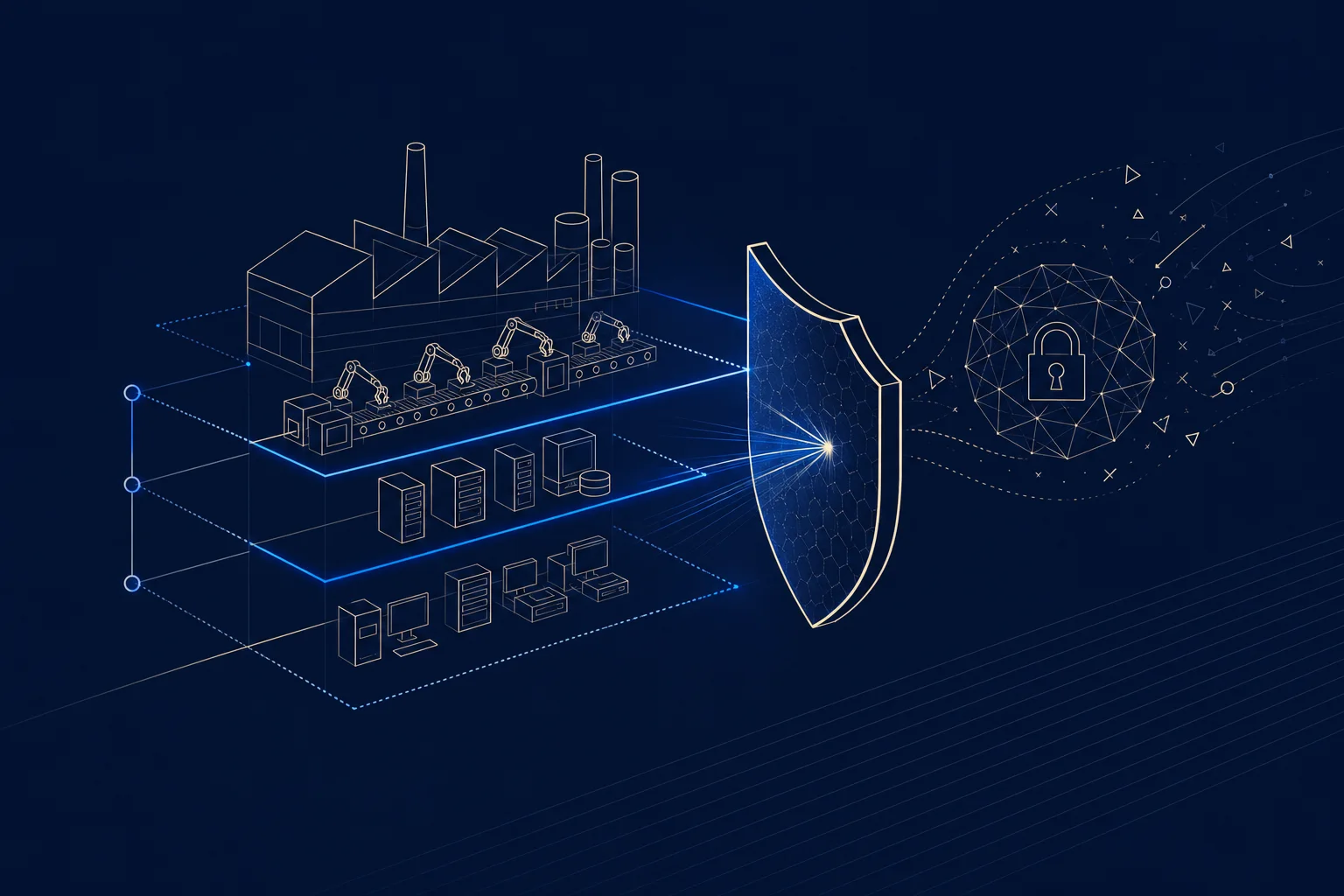
    • OT (operational technology) and ICS security for production systems
    • Network segmentation between IT and factory floor
    • Legacy-system protection, since much OT cannot be easily patched
    • Backup and rapid recovery to limit downtime
    • Supply-chain and vendor-access security
    • 24/7 monitoring and incident response

    How do you protect legacy OT in manufacturing?

    Much of the risk comes from legacy operational technology that cannot be patched or replaced without halting production. The answer is defense around it: segment OT networks from IT so a compromise on one side cannot cross to the other, monitor OT traffic for anomalies, and control vendor access tightly. A manufacturing-focused IT provider designs security around the reality that the machines cannot simply be updated (VikingCloud tracks the ransomware trend).

    Frequently asked questions

    Why is manufacturing targeted by ransomware?

    Because downtime is so costly that manufacturers are more likely to pay. Attacks on manufacturing rose 56% in 2025, making it the top-targeted sector by volume.

    How much does manufacturing downtime cost?

    An estimated $1.9 million per day after a ransomware attack, with every hour of stopped production costing $10,000 to $250,000+ depending on the sector.

    What do manufacturing IT services cover?

    OT and ICS security, network segmentation, legacy-system protection, backup and recovery, supply-chain security, and 24/7 monitoring.

    What is OT security?

    Protection of operational technology, the systems that run production equipment, which often cannot be patched like standard IT and needs defense around it.

    Why is legacy OT a risk in manufacturing?

    Much OT cannot be patched or replaced without stopping production, so it stays vulnerable and must be protected through segmentation and monitoring.

    Is the ransom the main cost of a manufacturing attack?

    No. Downtime costs run up to 50 times the ransom itself, making production loss the far larger expense.