Author: chrisomo

  • MSP Meaning: What a Managed Service Provider Really Is

    MSP Meaning: What a Managed Service Provider Really Is

    MSP Meaning: What a Managed Service Provider Really Is

    By The Uptime Report editorial team · Last updated October 2026

    The MSP meaning is simple: MSP stands for Managed Service Provider, a company that runs a client’s IT on an ongoing basis for a monthly fee. It is now the standard model, with 76% of SMEs relying on an MSP for at least some IT functions.

    Key takeaways

    • MSP means Managed Service Provider.
    • An MSP runs a client’s IT proactively for a predictable monthly fee.
    • 76% of SMEs use an MSP for at least some functions (Medha Cloud).
    • An MSP differs from break-fix (reactive) and from an MSSP (security-focused).
    • The global MSP market reached about $430 billion in 2026.
    MSP
    = Managed Service Provider
    Industry term
    76%
    of SMEs use an MSP
    Medha Cloud, 2026
    $430B
    global MSP market in 2026
    Medha Cloud, 2026

    What is the meaning of MSP?

    MSP stands for Managed Service Provider. The meaning in practice: a company that takes ongoing responsibility for a client’s technology, delivering support, monitoring, security, and maintenance as a subscription rather than fixing things only after they break. The model is now mainstream. Medha Cloud reports 76% of SMEs rely on an MSP, in a market worth about $430 billion in 2026.

    What does an MSP actually do?

    An MSP acts as, or supplements, a client’s IT department: monitoring systems around the clock, running the help desk, patching software, managing security and backup, and advising on technology. The defining trait is that it works proactively, catching problems before they cause downtime rather than waiting for a call.

    How does an MSP differ from break-fix and an MSSP?

    Term What it means
    MSP Manages general IT, ongoing and proactive
    Break-fix Reactive IT, billed per incident
    MSSP Managed Security Service Provider, security-focused

    An MSP handles broad IT; an MSSP specializes in security operations; break-fix is the reactive model both replaced.

    Why do businesses use an MSP?

    Because an MSP delivers a full IT team’s capability for a predictable fee that a small or midsize business could not match by hiring. With 76% of SMEs already using one, the MSP model is the default for organizations that would rather run their business than run IT (Market.us tracks MSP adoption).

    Frequently asked questions

    What does MSP mean?

    MSP means Managed Service Provider, a company that runs a client’s IT on an ongoing basis for a monthly fee.

    What does an MSP do?

    It monitors systems, runs the help desk, manages security and backup, patches software, and advises on technology, all proactively under a subscription.

    What is the difference between an MSP and an MSSP?

    An MSP manages general IT; an MSSP (Managed Security Service Provider) specializes in security operations.

    How is an MSP different from break-fix IT?

    An MSP works proactively to prevent problems under a monthly fee; break-fix charges to repair problems after they occur.

    How many businesses use an MSP?

    76% of SMEs rely on an MSP for at least some functions, in a market worth about $430 billion in 2026.

    Why do businesses use an MSP?

    To get a full IT team’s capability for a predictable fee that would cost far more to build in-house.

  • Remote IT Support: Why It Outperforms On-Site in 2026

    Remote IT Support: Why It Outperforms On-Site in 2026

    Remote IT Support: Why It Outperforms On-Site in 2026

    By The Uptime Report editorial team · Last updated September 2026

    Remote IT support resolves technology issues over the internet rather than in person, and the data favors it: remote agents achieve 18% higher first-contact resolution (78% vs 66%) and handle 25% more tickets per shift than on-site.

    Key takeaways

    • Remote IT support agents achieve 18% higher first-contact resolution (78% vs 66%).
    • Remote agents handle 25% more interactions per shift (45 vs 36).
    • Remote support agents are about 13% more productive across the board.
    • Visual guidance tools push first-call resolution up another 25-35%.
    • Most issues are now resolved remotely, reserving on-site for hardware.
    18%
    higher first-contact resolution, remote vs on-site
    ScreenMeet, 2026
    25%
    more tickets handled per shift remotely
    ScreenMeet, 2026
    13%
    higher productivity for remote agents
    ScreenMeet, 2026

    What is remote IT support?

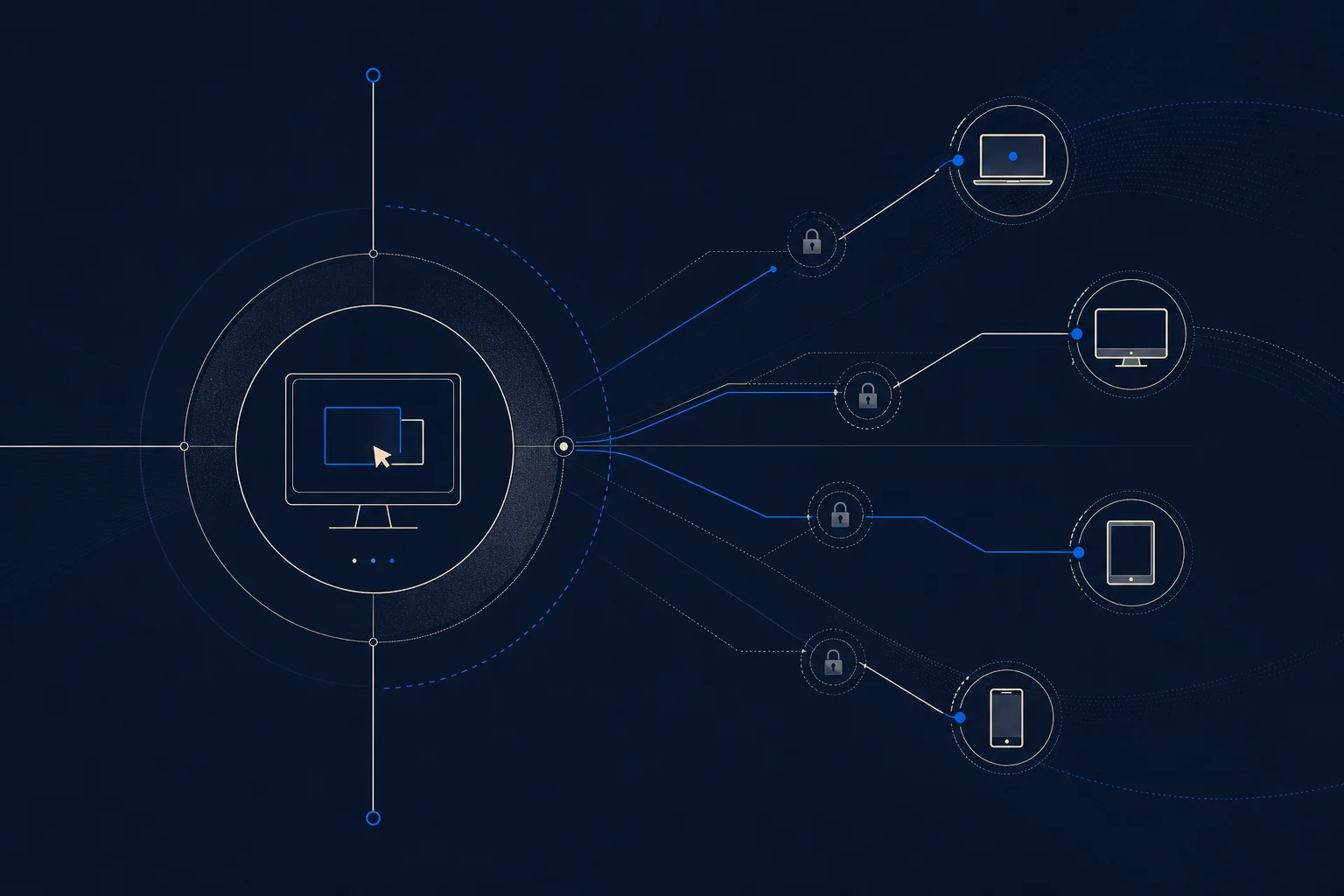
    Remote IT support resolves technology issues over the internet, with a technician connecting to a user’s device or guiding them remotely rather than visiting in person. Most modern IT issues, software problems, configuration, security, account access, can be fixed this way. It has become the default because it is faster and, on the numbers, more effective: ScreenMeet reports remote agents achieve 18% higher first-contact resolution than on-site.

    Why does remote IT support outperform on-site?

    The efficiency gains are consistent. Remote support agents are about 13% more productive, handle 25% more interactions per shift (45 versus 36), and achieve 18% higher first-contact resolution (78% versus 66%). Without travel time, a technician resolves more issues faster, and screen-sharing and remote-control tools often let them fix a problem more directly than talking a user through it on-site.

    What metrics matter for remote IT support?

    The same metrics as any support, but remote tends to score better on them: first-contact resolution, mean time to resolution, and user satisfaction. Visual guidance tools show a 25-35% improvement in first-call resolution and a 25-30% reduction in mean time to resolution. One organization cut average handle time by 40%, from over 45 minutes to under 28.

    How do MSPs deliver remote IT support securely?

    Through secure remote-access tools with strong authentication, session logging, and least-privilege access, so support connections cannot become an attack path. A well-run remote support operation resolves most issues quickly while reserving on-site visits for genuinely physical problems like hardware replacement. For an MSP, remote support is what makes 24/7 coverage across many clients economically possible (BuddyPro covers remote managed support).

    Frequently asked questions

    What is remote IT support?

    IT support delivered over the internet, with a technician connecting to or guiding a user’s device rather than visiting in person.

    Is remote IT support better than on-site?

    On the numbers, often yes. Remote agents achieve 18% higher first-contact resolution and handle 25% more tickets per shift.

    What issues can remote IT support fix?

    Most modern issues, including software problems, configuration, security, and account access. On-site is reserved for physical hardware.

    How productive is remote IT support?

    Remote agents are about 13% more productive and handle 25% more interactions per shift than on-site technicians.

    Is remote IT support secure?

    Yes, when delivered through secure remote-access tools with strong authentication, session logging, and least-privilege access.

    Do MSPs offer remote IT support?

    Yes. Remote support is what makes 24/7 coverage across many clients economically possible for managed service providers.

  • Application Virtualization: What It Is and Why IT Teams Use It

    Application Virtualization: What It Is and Why IT Teams Use It

    Application Virtualization: What It Is and Why IT Teams Use It

    By The Uptime Report editorial team · Last updated September 2026

    Application virtualization runs software in an isolated layer separate from the operating system, so apps can be deployed, updated, and removed without installing them directly on each device. It simplifies management and improves security by keeping apps sandboxed from the underlying system.

    Key takeaways

    • Application virtualization isolates apps from the operating system.
    • Apps are delivered centrally, not installed on each device.
    • It simplifies deployment, updates, and removal across many machines.
    • Isolation improves security by sandboxing apps from the OS.
    • It differs from server virtualization (whole servers) and desktop virtualization (whole desktops).
    1 layer
    apps isolated from the OS
    Virtualization concept
    Central
    delivery instead of per-device install
    IT management
    Sandboxed
    apps kept separate for security
    Security benefit

    What is application virtualization?

    Application virtualization runs a program in a virtualized layer that sits between the app and the operating system. The app behaves normally to the user but is never fully installed on the device; it is delivered and executed in isolation. This means IT can deploy, update, and retire applications centrally without touching each machine, and apps stay sandboxed from the underlying system.

    How does it differ from other virtualization?

    Type What it virtualizes
    Server virtualization Whole physical servers into virtual machines
    Desktop virtualization Entire desktop environments
    Application virtualization Individual applications, isolated from the OS
    Network virtualization Network functions in software

    Application virtualization is the most granular: it targets single apps rather than whole machines or desktops.

    What are the benefits of application virtualization?

    • Simpler management: deploy and update apps centrally, not device by device.
    • Fewer conflicts: isolated apps do not interfere with each other or the OS.
    • Better security: sandboxing limits what a compromised app can reach.
    • Faster onboarding: new users get their app set instantly.

    Where is application virtualization used?

    It is common in enterprises and managed environments that run many applications across many users, where installing and maintaining software on each device would be a burden. Tools like Microsoft App-V, VMware ThinApp, and Citrix have long served this need, and modern containerized delivery extends the same idea. For an MSP managing many client endpoints, application virtualization reduces the work of keeping software consistent and secure.

    Frequently asked questions

    What is application virtualization?

    Technology that runs software in an isolated layer separate from the operating system, so apps are delivered centrally rather than installed on each device.

    How does application virtualization differ from server virtualization?

    Server virtualization virtualizes whole servers into VMs; application virtualization virtualizes individual apps, isolating them from the OS.

    What are the benefits of application virtualization?

    Simpler central management, fewer app conflicts, better security through sandboxing, and faster user onboarding.

    Is application virtualization the same as desktop virtualization?

    No. Desktop virtualization delivers entire desktop environments; application virtualization targets individual applications.

    What tools provide application virtualization?

    Microsoft App-V, VMware ThinApp, and Citrix are established tools, with modern containerized delivery extending the same concept.

    Why do IT teams use application virtualization?

    To deploy and update software centrally across many devices, avoid conflicts, and improve security by isolating apps from the operating system.

  • Help Desk Support: Metrics, Benchmarks, and What Good Looks Like

    Help Desk Support: Metrics, Benchmarks, and What Good Looks Like

    Help Desk Support: Metrics, Benchmarks, and What Good Looks Like

    By The Uptime Report editorial team · Last updated September 2026

    Help desk support is the front line where most IT relationships are won or lost. The benchmark to beat: the global average first-contact resolution rate is about 72%, and top desks reach 85% or higher.

    Key takeaways

    • Global average first-contact resolution (FCR) is about 72%; top desks hit 85%+.
    • Remote support agents achieve 18% higher FCR (78% vs 66%) and handle 25% more tickets.
    • Every 1% improvement in FCR cuts operating costs by about 1% (SQM Group).
    • The average support org handles 10,675 tickets monthly.
    • Mature ITSM teams resolve 68% of tickets on first contact.
    72%
    global average first-contact resolution
    Stealth Agents, 2026
    85%+
    FCR at top-performing help desks
    2026 benchmarks
    10,675
    average monthly tickets per support org
    HDI, 2025

    What is help desk support?

    Help desk support is the team and process that receives, triages, and resolves user technology issues. It is the part of IT people touch every day, which makes it the daily face of the whole operation. Its performance is measurable, and the headline metric is first-contact resolution: Stealth Agents reports a global average FCR of about 72%, with top desks reaching 85% or higher.

    What help desk metrics define good performance?

    Metric Good benchmark
    First-contact resolution 72% average, 85%+ excellent
    Mean time to resolution Lower is better; top teams ~17 hours
    First-contact rate (mature teams) 68% resolved on first contact
    User satisfaction (CSAT) Tracked alongside speed, never traded for it

    Why does first-contact resolution matter most?

    Because it drives both cost and satisfaction. SQM Group’s benchmarking shows every 1% improvement in FCR reduces operating costs by approximately 1%, and users strongly prefer having their issue solved on the first touch. A desk that resolves more issues immediately is cheaper to run and produces happier users, which is why FCR is the metric to optimize first.

    How does remote help desk support compare?

    Remote support outperforms on the numbers. Remote support agents are about 13% more productive, handle 25% more interactions per shift (45 versus 36), and achieve 18% higher first-contact resolution (78% versus 66%). Visual guidance tools push FCR up another 25-35%. For most businesses, well-run remote help desk support is both more efficient and higher-resolving than on-site (ScreenMeet tracks help desk metrics).

    Frequently asked questions

    What is help desk support?

    The team and process that receives, triages, and resolves user technology issues, serving as the daily face of a business’s IT.

    What is a good first-contact resolution rate?

    The global average is about 72%; top-performing help desks reach 85% or higher. Mature ITSM teams resolve 68% on first contact.

    Why does first-contact resolution matter?

    Because every 1% improvement cuts operating costs by about 1%, and users strongly prefer having issues solved on the first touch.

    Is remote help desk support effective?

    Yes, often more so. Remote agents achieve 18% higher first-contact resolution and handle 25% more tickets per shift than on-site.

    How many tickets does a help desk handle?

    The average support organization handles about 10,675 tickets monthly, with agents handling 17 to 25 tickets per day.

    What help desk metrics matter most?

    First-contact resolution, mean time to resolution, and user satisfaction, watched together rather than optimizing one in isolation.

  • How to Enable Virtualization in BIOS: A Step-by-Step Guide

    How to Enable Virtualization in BIOS: A Step-by-Step Guide

    How to Enable Virtualization in BIOS: A Step-by-Step Guide

    By The Uptime Report editorial team · Last updated September 2026

    To learn how to enable virtualization in BIOS: restart your computer, enter the BIOS or UEFI setup (usually by pressing a key like F2, F10, Del, or Esc at boot), find the virtualization setting (Intel VT-x or AMD-V), enable it, and save. It is required to run virtual machines, and most modern CPUs support it.

    Key takeaways

    • Virtualization is enabled in the BIOS/UEFI, not in the operating system.
    • Enter BIOS by pressing F2, F10, Del, or Esc during startup (varies by maker).
    • The setting is called Intel VT-x, AMD-V, SVM, or simply Virtualization Technology.
    • It is required to run virtual machines, WSL, Docker, and Android emulators.
    • Most CPUs from the last decade support it; it is often just turned off by default.
    VT-x
    Intel virtualization technology name
    Intel
    AMD-V
    AMD virtualization technology name
    AMD
    F2/Del
    common keys to enter BIOS
    Hardware makers

    What is BIOS virtualization and why enable it?

    Hardware virtualization support is built into most modern processors but is often disabled by default in the BIOS or UEFI firmware. Enabling it lets your computer run virtual machines efficiently. You need it on to use tools like VMware, VirtualBox, Hyper-V and WSL (Windows Subsystem for Linux), Docker, and Android emulators. If a virtualization tool reports it cannot start because virtualization is off, this is the fix.

    How to enable virtualization in BIOS step by step

    1. Restart your computer.
    2. Enter BIOS/UEFI: press the setup key repeatedly during boot. Common keys are F2, F10, Del, or Esc; the maker’s logo screen usually shows which.
    3. Find the setting: look under Advanced, CPU Configuration, or Security. It is labeled Intel VT-x, AMD-V, SVM Mode, or Virtualization Technology.
    4. Enable it and, if present, enable VT-d or IOMMU too for device passthrough.
    5. Save and exit (usually F10). The computer reboots with virtualization on.

    How do you verify virtualization is enabled?

    On Windows, open Task Manager, go to the Performance tab, select CPU, and look for “Virtualization: Enabled.” On Linux, run a command such as grep -E "vmx|svm" /proc/cpuinfo; output means the CPU supports it, and if your hypervisor starts, it is enabled. If it still shows disabled after the BIOS change, confirm you saved the setting and that the CPU supports virtualization.

    What if you cannot find the virtualization setting?

    A few reasons it may be missing: the BIOS is outdated (update it from the maker’s site), the setting is under a differently named menu, or the CPU is old enough to lack support. On some prebuilt and corporate machines the option is hidden or locked by the manufacturer. If it is locked, a BIOS update or the maker’s support is the path, since virtualization cannot be enabled from the operating system.

    Frequently asked questions

    How do I enable virtualization in BIOS?

    Restart, enter BIOS/UEFI (press F2, F10, Del, or Esc at boot), find Intel VT-x or AMD-V under Advanced or CPU Configuration, enable it, and save.

    Why do I need to enable virtualization?

    It is required to run virtual machines and tools like Hyper-V, VMware, WSL, Docker, and Android emulators efficiently.

    What is the virtualization setting called?

    Intel VT-x, AMD-V, SVM Mode, or Virtualization Technology, depending on your CPU and BIOS.

    How do I verify virtualization is on?

    On Windows, check Task Manager’s Performance tab under CPU for ‘Virtualization: Enabled.’ On Linux, grep /proc/cpuinfo for vmx or svm.

    Why can’t I find the virtualization option?

    The BIOS may be outdated, the setting may be under a different menu, the CPU may not support it, or a manufacturer may have locked it.

    Can I enable virtualization without entering BIOS?

    No. Virtualization is a firmware setting and must be enabled in the BIOS/UEFI, not from the operating system.

  • Top Managed Service Providers: How to Identify the Best MSP

    Top Managed Service Providers: How to Identify the Best MSP

    Top Managed Service Providers: How to Identify the Best MSP

    By The Uptime Report editorial team · Last updated September 2026

    The top managed service providers are not simply the biggest; they are the ones that deliver reliability, security depth, and response commitments that fit your business. With 76% of SMEs relying on an MSP, choosing the right one matters more than ever.

    Key takeaways

    • Top MSPs are defined by reliability and fit, not just size.
    • 76% of SMEs rely on an MSP, making the choice consequential.
    • Key criteria: response SLAs, security depth, industry experience, transparency.
    • Managed security is now offered by 81% of MSPs, a baseline expectation.
    • Ask about documentation, references, and after-hours coverage before signing.
    76%
    of SMEs rely on an MSP
    Medha Cloud, 2026
    81%
    of MSPs now offer managed security
    Managed services survey, 2026
    94%
    of MSPs offer remote monitoring
    Managed services survey, 2026

    What makes a top managed service provider?

    The best MSPs are defined by reliability, not headcount. A top managed service provider hits its response commitments consistently, brings genuine security depth, documents its work, and understands your industry. With 76% of SMEs relying on an MSP, the difference between a good one and a mediocre one shows up directly in your uptime and security posture.

    What criteria separate the best MSPs?

    Criterion Why it matters
    Response SLAs How fast they commit to act, and whether they hit it
    Security depth 81% of MSPs offer security; depth varies widely
    Industry experience Regulated sectors need specialized knowledge
    Transparency Documentation and reporting you can actually see
    After-hours coverage Whether support is genuinely 24/7

    How do you evaluate MSPs by industry?

    A top MSP for a law firm or healthcare practice needs compliance expertise a general MSP may lack; a manufacturer needs OT security. The best provider for you is the one whose strengths match your risks. Ask for references from businesses like yours, and confirm the provider has done the specific work, not just claimed the capability.

    What should you ask before hiring an MSP?

    • What are your response and resolution SLAs, and what is your track record against them?
    • What security services are included, and how deep do they go?
    • Can you show documentation and reporting from a comparable client?
    • Is support genuinely 24/7, or does after-hours go to a queue?
    • Can you provide references in my industry?

    The answers separate the top managed service providers from the ones that simply market themselves as such (Market.us tracks MSP adoption).

    Frequently asked questions

    How do you identify top managed service providers?

    By reliability and fit, not size. Look at response SLAs and track record, security depth, industry experience, transparency, and genuine 24/7 coverage.

    What makes the best MSP?

    One that hits its response commitments consistently, brings real security depth, documents its work, and understands your industry.

    What should I ask an MSP before hiring?

    About response and resolution SLAs and track record, included security services, documentation, after-hours coverage, and industry references.

    Are the biggest MSPs the best?

    Not necessarily. The best MSP for you is the one whose strengths match your risks and whose reliability you can verify with references.

    Do all MSPs offer security?

    81% of MSPs now offer managed security, but depth varies widely, so it is worth probing exactly what is included.

    Why does choosing the right MSP matter?

    Because 76% of SMEs rely on an MSP, and the provider’s reliability shows up directly in your uptime and security posture.

  • Network Infrastructure Management: Keeping the Network Up

    Network Infrastructure Management: Keeping the Network Up

    Network Infrastructure Management: Keeping the Network Up

    By The Uptime Report editorial team · Last updated September 2026

    Network infrastructure management keeps the network that everything else depends on available and fast. It is high-stakes: network issues cause 31% of all IT service outages, and downtime runs up to $15,000 a minute.

    Key takeaways

    • Network issues cause 31% of all IT service outages (Uptime Institute).
    • IT downtime runs up to $15,000 per minute in 2026.
    • Proactive monitoring can reduce total downtime by 80%.
    • Edge-related failures rose 30% versus two years ago.
    • Management covers monitoring, configuration, patching, and capacity planning.
    31%
    of IT outages caused by network issues
    Uptime Institute, 2026
    $15,000
    IT downtime cost per minute
    Splunk/Cisco, 2026
    80%
    downtime reduction from proactive monitoring
    Industry data, 2026

    What is network infrastructure management?

    Network infrastructure management is the ongoing work of keeping the network, routers, switches, firewalls, links, and wireless, available, secure, and performing. Because everything else runs on the network, it is a common point of failure: Motadata reports network issues cause 31% of all IT service outages per the Uptime Institute, with a 30% rise in edge-related failures over two years.

    Why does network infrastructure management matter?

    Because network downtime is business downtime, and it is expensive. IT downtime runs up to $15,000 per minute, and network problems are the single largest category of outage cause. Managing the network proactively, rather than reacting to failures, is what keeps a business online. Proactive monitoring can reduce total downtime by 80%.

    What does network infrastructure management cover?

    • Monitoring: watch availability, throughput, and device health in real time.
    • Configuration management: keep device configs consistent and backed up.
    • Patch and firmware updates: close vulnerabilities on network gear.
    • Capacity planning: stay ahead of growth before links saturate.

    How do providers manage network infrastructure?

    Providers run centralized monitoring across many clients, applying consistent configuration and patch discipline and responding to alerts before users feel them. That scale is what makes 24/7 network management affordable for smaller organizations. For an MSP, strong network infrastructure management is the foundation the rest of the stack, from VoIP to security, depends on (Gatling tracks downtime cost).

    Frequently asked questions

    What is network infrastructure management?

    The ongoing work of keeping the network, including routers, switches, firewalls, and links, available, secure, and performing well.

    Why do networks cause so many outages?

    Because everything runs on the network. Network issues cause 31% of all IT service outages, the single largest category.

    How much does network downtime cost?

    IT downtime runs up to $15,000 per minute in 2026, and network problems are the leading cause of outages.

    Does monitoring reduce network downtime?

    Yes. Proactive monitoring can reduce total downtime by 80% by catching issues before they become outages.

    What does network infrastructure management include?

    Monitoring, configuration management, patch and firmware updates, and capacity planning across network devices.

    Should a business outsource network management?

    Outsourcing gives smaller organizations 24/7 monitoring and consistent management that would be costly to staff internally.

  • Server Virtualization: How It Cuts Costs and Where It’s Heading

    Server Virtualization: How It Cuts Costs and Where It’s Heading

    Server Virtualization: How It Cuts Costs and Where It’s Heading

    By The Uptime Report editorial team · Last updated September 2026

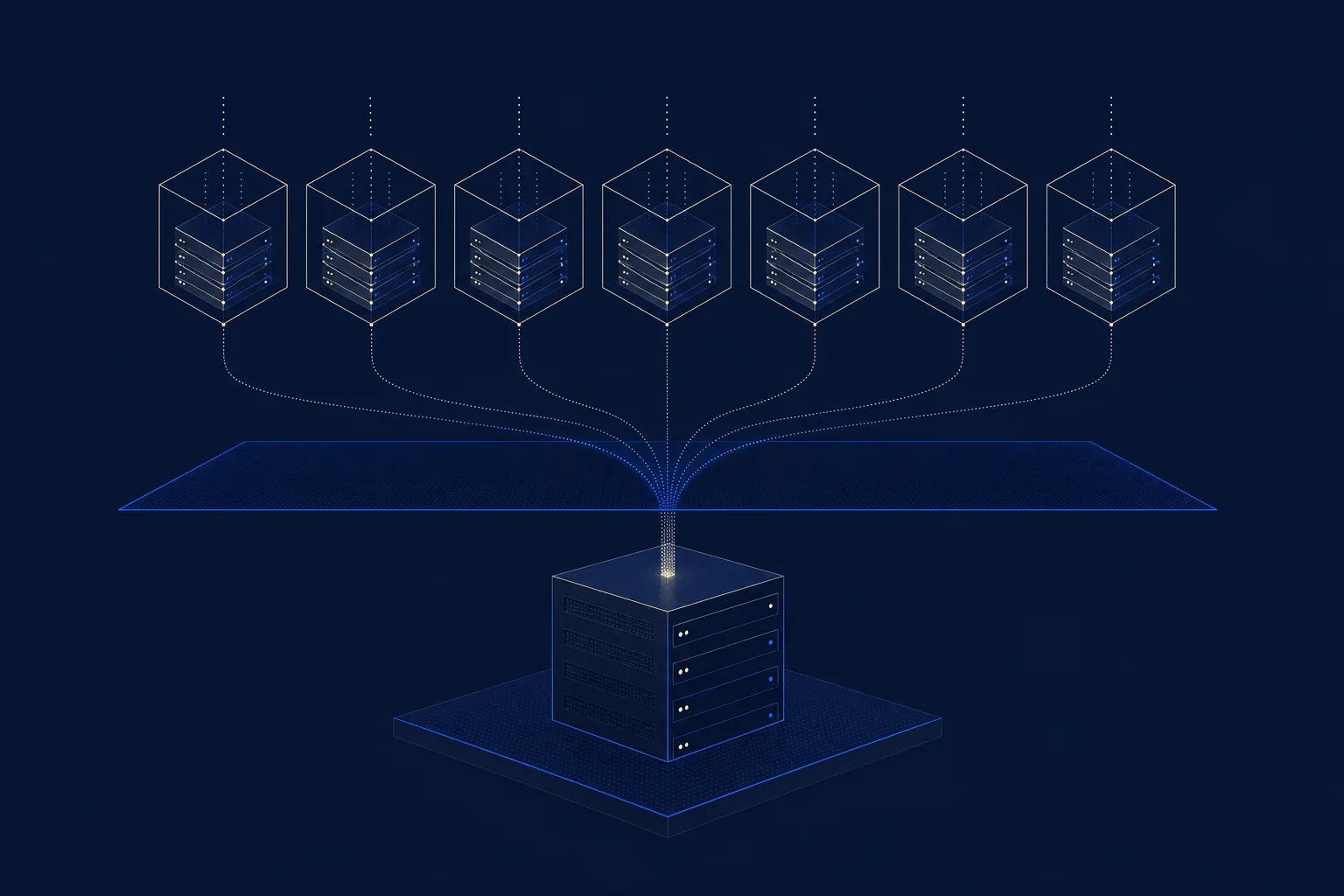
    Server virtualization runs many virtual servers on one physical machine, and the efficiency gains are large: it can cut IT infrastructure costs up to 50% while raising server utilization from 15% to over 70%.

    Key takeaways

    • Server virtualization can cut IT infrastructure costs up to 50%.
    • It raises server utilization from about 15% to over 70%.
    • Enterprises achieve a 7:1 or higher server consolidation ratio on average.
    • VMware is still primary for ~43% of organizations, but 86-87% are trimming it.
    • Virtualized data centers use ~80% less physical space and power.
    50%
    potential cut in IT infrastructure costs
    Persistence Market Research, 2026
    7:1
    average server consolidation ratio
    Industry data, 2026
    43%
    of organizations where VMware is primary
    Servnet, 2026

    What is server virtualization?

    Server virtualization uses a hypervisor to run multiple independent virtual servers on a single physical machine, each behaving like its own computer. Instead of dedicating one physical server to one job, you consolidate many onto shared hardware. The efficiency is dramatic: Persistence Market Research notes it can cut infrastructure costs up to 50% while raising server utilization from around 15% to over 70%.

    How much does server virtualization save?

    The savings come from consolidation. Enterprises running virtualization achieve a 7:1 or higher server consolidation ratio on average, meaning seven physical servers’ worth of work runs on one. Virtualized data centers consume about 80% less physical space and power than traditional setups, and operational costs fall by roughly 40%. Fewer machines means less to buy, power, cool, and maintain.

    How is the server virtualization market changing?

    The landscape is shifting after Broadcom acquired VMware for $69 billion in late 2023. VMware remains the primary virtualization platform for nearly 43% of organizations, but 86-87% of enterprise decision-makers report actively trimming their VMware footprint over pricing changes. This has driven interest in alternatives like Proxmox, Hyper-V, and open-source KVM-based platforms.

    Should you use server virtualization?

    For almost any business running more than a handful of servers, yes. The cost, space, and management savings are substantial, and virtualization is the foundation for backup, disaster recovery, and cloud. The current question is less whether to virtualize and more which platform to run, given the post-Broadcom repricing pushing many off VMware. An MSP can advise on and manage the right platform for your environment (Servnet tracks virtualization market share).

    Frequently asked questions

    What is server virtualization?

    Technology that uses a hypervisor to run multiple independent virtual servers on one physical machine, consolidating many workloads onto shared hardware.

    How much does server virtualization save?

    It can cut IT infrastructure costs up to 50%, achieve a 7:1 server consolidation ratio, and use about 80% less space and power.

    What is a server consolidation ratio?

    The number of physical servers’ worth of work running on one physical machine. Enterprises average 7:1 or higher with virtualization.

    Is VMware still the leader in server virtualization?

    VMware is primary for about 43% of organizations, but 86-87% are trimming their footprint after Broadcom’s acquisition and pricing changes.

    What are VMware alternatives?

    Proxmox, Microsoft Hyper-V, and open-source KVM-based platforms are common alternatives that gained interest after VMware’s repricing.

    Why use server virtualization?

    For cost, space, and power savings, and because it is the foundation for backup, disaster recovery, and cloud infrastructure.

  • VoIP Systems: How to Choose One for Your Business in 2026

    VoIP Systems: How to Choose One for Your Business in 2026

    VoIP Systems: How to Choose One for Your Business in 2026

    By The Uptime Report editorial team · Last updated September 2026

    VoIP systems carry business calls over the internet instead of phone lines, and the market has decisively moved to them: over 60% of companies in developed markets have migrated to VoIP or cloud communications, cutting communication costs 30-50%.

    Key takeaways

    • Over 60% of companies in developed markets have migrated to VoIP systems.
    • VoIP cuts communication costs 30-50% versus landlines, up to 68% on usage plans.
    • Over 60% of SMBs use business VoIP as their primary voice platform.
    • Hosted (cloud) systems remove hardware; on-premise suits specific control needs.
    • Call quality depends on network bandwidth, latency, and QoS prioritization.
    60%+
    of companies migrated to VoIP systems
    Panterra, 2026
    30-50%
    cost savings versus landlines
    Industry surveys, 2026
    60%+
    of SMBs use VoIP as primary voice
    Kixie, 2026

    What are VoIP systems?

    A VoIP system is a business phone system that carries calls over the internet instead of traditional copper lines. Your voice is converted to data, routed by a hosted or on-premise platform, and delivered to any phone number. The move to VoIP is nearly complete in developed markets: Panterra reports over 60% of companies have migrated, and over 60% of SMBs use business VoIP as their primary voice platform.

    Hosted versus on-premise VoIP systems

    Hosted (cloud) On-premise
    Hardware None to own You buy and maintain it
    Cost Per user, monthly Upfront plus maintenance
    Scaling Instant Provision hardware
    Best for Most businesses Specific control/compliance needs

    Most businesses choose hosted VoIP for lower cost, instant scaling, and provider-managed maintenance.

    How much do VoIP systems cost?

    VoIP systems are billed per user per month, and the savings over legacy lines are consistent: businesses report 30% to 50% lower communication costs, up to 68% on usage-based plans. On-premise systems carry higher upfront hardware costs and ongoing maintenance. The predictable per-user fee and included features are a large part of why VoIP became the default.

    What do you need for good VoIP call quality?

    A stable network. Voice is real-time and sensitive to latency and jitter, so adequate bandwidth and quality-of-service prioritization for voice traffic are what keep calls clear. Plan a failover for internet outages. Most VoIP complaints trace back to a network that was never prepared for real-time traffic, which is why an MSP managing both network and voice is a natural fit (Kixie tracks VoIP adoption).

    Frequently asked questions

    What are VoIP systems?

    Business phone systems that carry calls over the internet instead of traditional phone lines, using a hosted or on-premise platform to route calls.

    What is the difference between hosted and on-premise VoIP?

    Hosted VoIP runs in the provider’s cloud with no hardware to own; on-premise requires you to buy and maintain the equipment.

    How much do VoIP systems cost?

    They are billed per user per month and cut communication costs 30-50% versus landlines, up to 68% on usage-based plans.

    How many businesses use VoIP systems?

    Over 60% of companies in developed markets have migrated to VoIP, and over 60% of SMBs use it as their primary voice platform.

    What do I need for good VoIP quality?

    Adequate bandwidth, low latency and jitter, and quality-of-service prioritization for voice traffic. Consistency matters more than raw speed.

    Which VoIP system is best for a small business?

    For most, a hosted (cloud) VoIP system, because it removes hardware, scales instantly, and includes features legacy systems charge extra for.

  • Backup and Recovery: Why 76% of Backup Attacks Succeed

    Backup and Recovery: Why 76% of Backup Attacks Succeed

    Backup and Recovery: Why 76% of Backup Attacks Succeed

    By The Uptime Report editorial team · Last updated September 2026

    Backup and recovery is your last line of defense, and attackers know it: 96% of ransomware attacks target backup repositories, and 76% of those attempts succeed. Organizations with compromised backups face 8 times higher recovery costs.

    Key takeaways

    • 96% of ransomware attacks target backups; 76% of those attempts succeed.
    • Compromised backups mean 8x higher recovery costs ($3M vs $375k median).
    • Only 28% of ransomware victims fully restore all their data.
    • Offline, immutable, tested backups cut recovery costs by 44% versus paying ransom.
    • The 3-2-1 rule remains the baseline: 3 copies, 2 media types, 1 offsite.
    96%
    of ransomware attacks target backups
    CNIC Solutions, 2026
    8x
    higher recovery cost with compromised backups
    2026 report
    28%
    of victims who fully restore all data
    2026 report

    What is backup and recovery?

    Backup is keeping copies of your data; recovery is restoring systems and operations from those copies after a failure or attack. The two are distinct: a backup you cannot restore is worthless. This gap is exactly what attackers exploit. CNIC Solutions reports that 96% of ransomware attacks now target backup repositories, and 76% of those attempts succeed in compromising the backups.

    Why do backups fail when you need them?

    Because they are attacked or untested. When backups are compromised, recovery costs run 8 times higher, a median $3 million versus $375,000 for organizations with intact backups. And even with backups, recovery is often partial: only 28% of ransomware victims fully restore all affected data, with the average organization recovering just 72%. The lesson is that a backup is a hope until it is tested and protected.

    What is the 3-2-1 backup rule?

    Rule What it means
    3 copies Keep at least three copies of your data
    2 media types Store them on two different types of media
    1 offsite Keep at least one copy offsite or offline

    Modern practice adds immutability: a copy that cannot be altered or deleted, even by an attacker with admin access. Offline, immutable, tested backups cut recovery costs by 44% versus paying the ransom.

    How do you make backup and recovery reliable?

    Three disciplines: protect backups from tampering (offline and immutable copies), test restores on a schedule so you know they work, and define recovery objectives (how fast, how much data loss is acceptable). The organizations that recover cheaply and quickly are the ones that treated recovery as a tested process, not a checkbox. For an MSP, reliable backup and recovery is one of the highest-value services it delivers (CrashPlan tracks data-loss statistics).

    Frequently asked questions

    What is the difference between backup and recovery?

    Backup is keeping copies of data; recovery is restoring systems and operations from those copies. A backup you cannot restore is worthless.

    Why do attackers target backups?

    Because backups are the victim’s escape from paying ransom. 96% of ransomware attacks target backups and 76% of those attempts succeed.

    What is the 3-2-1 backup rule?

    Keep three copies of your data, on two different media types, with one copy offsite or offline. Modern practice adds an immutable copy.

    How much do compromised backups cost?

    Organizations with compromised backups face 8 times higher recovery costs, a median $3 million versus $375,000 with intact backups.

    Do immutable backups help?

    Yes. Offline, immutable, tested backups cut recovery costs by 44% versus paying the ransom, because they cannot be altered by an attacker.

    Should backups be tested?

    Always. Only 28% of ransomware victims fully restore all data, and untested backups often fail when needed. Test restores on a schedule.